

Trusted B2B Contact Data, Right Inside ChatGPT.
Find work emails and phone numbers, validate contact information, check employment status, and enrich B2B contact records through ChatGPT.
eCore connects your conversations to DataCore's data capabilities, helping your team work with more reliable contact information without switching between tools.
 Get eCore for ChatGPT
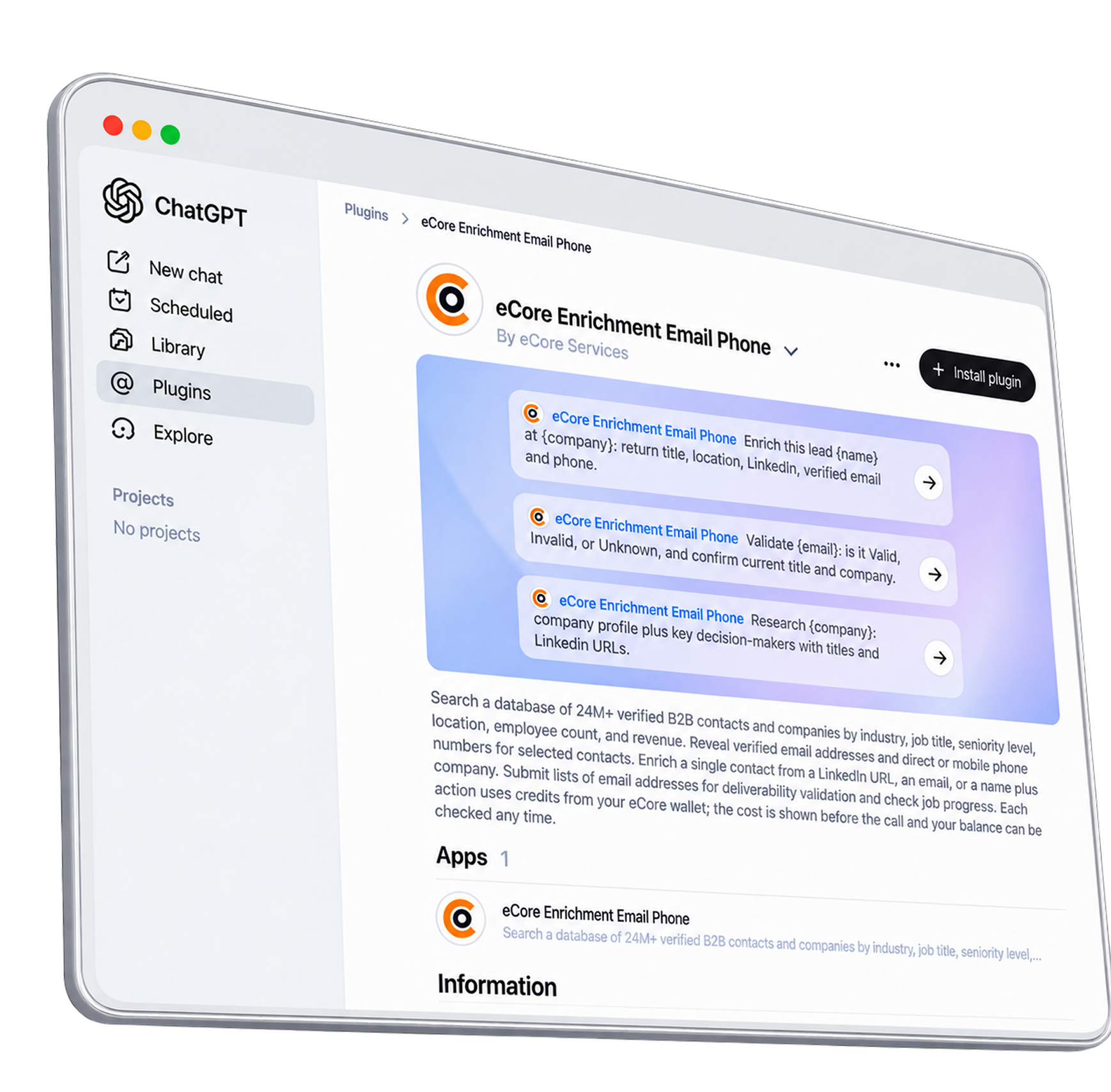
Get the Data You Need. Make Better-Informed Decisions
eCore brings selected DataCore capabilities into ChatGPT, giving your team a conversational way to find, enrich, and validate B2B contact information before putting it to work.
Work conversationally
Describe the data you need in plain English instead of navigating multiple tools for individual tasks.
Validate before activation
Check email addresses and employment information before relying on those details in business workflows.
Enrich existing records
Use supported DataForge enrichment options to retrieve additional information about B2B contacts.
Understand the cost upfront
Review estimated credit costs before proceeding with paid data operations.
Four Capabilities. One Conversational Interface
Access selected B2B data operations through ChatGPT, from finding missing contact details to checking whether existing information is still current.
 eCoreSample data
 Valid
From a Simple Request to Actionable Contact Data

- 01
Open eCore in ChatGPT
Find eCore in the ChatGPT app directory and open the app to get started.
- 02
Connect your eCore/DataCore account
Sign in or follow the account setup process to connect your account and access the relevant data capabilities.
- 03
Describe what you need
Ask eCore to generate a work email, validate addresses, check employment status, or enrich a contact record.
- 04
Review the estimated credit cost
Before a paid operation proceeds, review the estimated cost and make an informed decision about the request.
- 05
Get your results in the conversation
Review the information returned by the relevant DataCore capability and use it in your business workflow.
Know the Cost Before You Proceed
eCore uses your connected DataCore account to access supported data operations. Paid actions consume credits according to the existing DataCore pricing rules.
See estimated costs first
Review the estimated credit cost before proceeding with a paid operation.
Use the existing DataCore pricing model
Credit usage follows the applicable pricing for the operation being requested.
Choose the right way to get started
Connect your existing account or create one through the available signup flow.
Frequently Asked Questions About eCore for ChatGPT
eCore for ChatGPT is an app that connects ChatGPT conversations to selected eCore and DataCore B2B data capabilities. It supports work email generation, email validation, employment verification, and contact enrichment through DataForge.
It is designed for B2B teams that work with professional contact information, including sales, marketing, Revenue Operations, and data operations teams. It supports business workflows that depend on finding, validating, and enriching B2B contact data.
eCore is the brand and service provider. DataCore is the underlying data platform and account/credit system. DataForge is DataCore's real-time enrichment capability, which can be accessed through supported eCore workflows.
You need to connect your eCore/DataCore account to access the app's supported data operations. If you don't have an account, follow the signup process available when connecting the app.
Paid operations use credits according to DataCore's existing pricing rules. eCore returns an estimated cost before a paid action proceeds. The applicable cost depends on the operation requested.
eCore can retrieve additional contact information through supported DataForge enrichment options, which may include business phone numbers. The available information depends on the contact and the enrichment options supported by the operation.
Email generation uses a person's name and company information to find a professional email address. Email validation checks an existing email address and returns its validation status. These are separate operations.
Yes. The supported employment verification capability checks whether a contact is still associated with their listed company or has changed jobs. Results depend on the information available to the relevant workflow.
The current integration supports selected contact enrichment operations. Batch limits and supported inputs depend on the available tools. For large-scale data processing or workflows beyond the app's supported capabilities, explore DataCore and eCore's other data services.
Use of eCore is subject to the company's applicable privacy policies and the permissions and data-handling terms governing the ChatGPT app. Review the published privacy policy and app permissions before connecting your account.

Put Better B2B Data to Work
Find work emails, validate contact information, check employment status, and enrich contact records through eCore's supported DataCore capabilities.
Connect your account and get started with the data workflows your business needs.